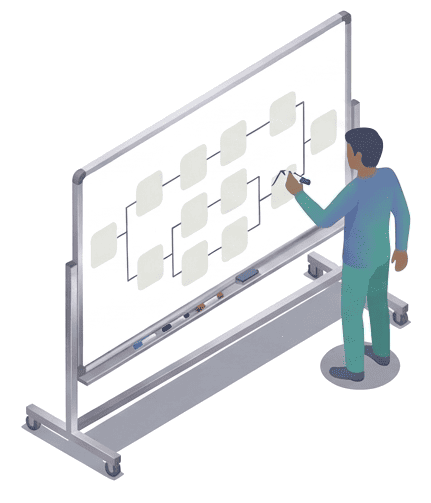
Write it once. Answer forever.

Create step-by-step procedures that your colleagues and family walk through on their own. No layout. No formatting. Write like you’d explain it.
START FOR FREE No credit card. No 45-minute tutorial. Just you and what you know.

The real problem.

Your knowledge is stuck inside your head. The only transmission channel is your availability. And your availability has a limit.

At work, you’re the one everyone comes to.

5 to 15 interruptions per day. “Got two minutes?” (Spoiler: it’s never two minutes.) The same questions, over and over. Your real work keeps getting pushed back. In the evening, that feeling: you were useful all day… but you didn’t get anything done for yourself.

At home, you’re the family tech person.

Fixing the internet box, unclogging the sink, descaling the coffee machine. They call you on weekends, they send you blurry screenshots of error messages. You love helping. But not repeating the same thing for the third time this month.

Being constantly needed isn’t a compliment. It’s a trap.

The problem was never the competence of those around you. The problem is that your knowledge has never been put somewhere they can actually use.

And when you try to document… it’s another headache.

You’ve already tried putting it in a document. Word, Google Docs, a PDF. But between the layout, the screenshots to insert, the structure to figure out… the document stays in draft. Or worse: it’s done, but nobody reads it because it’s 12 pages long. The problem isn’t your motivation. It’s that the tools you’re using weren’t designed for this.

The psychological trick that makes it work.

A long document creates resistance before your reader even starts. That’s cognitive load — the mental effort of facing something that looks overwhelming. A 20-page PDF says “this is going to be hard,” and most people simply give up or come back to ask you instead.

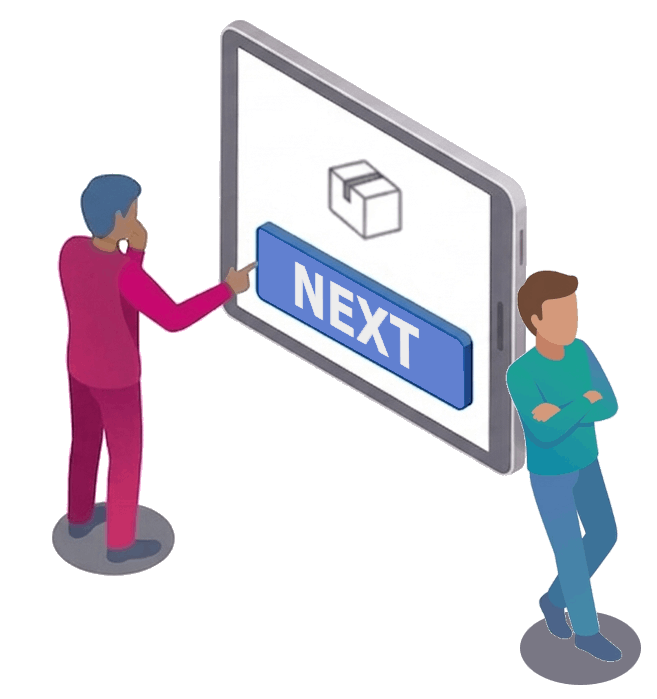
The fix is surprisingly simple: show only one step at a time. When each screen contains a single action, even a complex procedure feels manageable. Your reader never has to wonder where they are or what comes next. They just do this one thing, then move on.

And here’s what happens after: they succeed on their own. That small moment of pride — “I did it without asking anyone” — changes everything. They stop calling you. Better yet, they start telling others: “Just follow the procedure, it works.”
Everything you need. Nothing more.

Three elements, one crystal-clear logic.

Organize your knowledge like you organize your ideas.

One binder per topic: Onboarding, Technical support, Home… Each binder groups your procedures by theme, by team, by security level… So you can share them all at once.

You find it in 2 seconds. Your readers too.

Guide without being there.

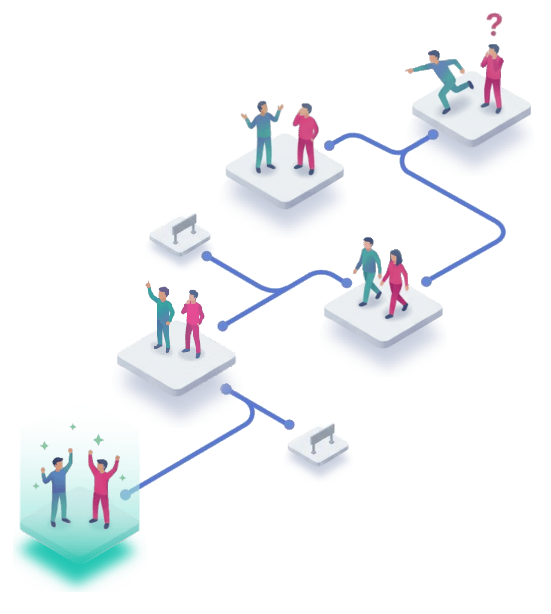
A flow is a complete procedure. You break down a complex process into a series of steps anyone can walk through. It reads like a calm conversation — one question at a time, one action at a time.

The person moves forward. You stay at peace.

One step = one action. Impossible to get lost.

The reader sees only one step at a time. Text, image, or both. No 40-page document. No endless scrolling. Just the next thing to do. And for you, writing is just as simple: one text, one image if needed, next step. No layout to manage, no formatting to choose. The format guides you as much as your readers.

You explained it once. That’s enough.

What changes for you.

You keep control. Your readers gain autonomy.

Polish behind the scenes, publish when ready.

Each procedure has a draft and a published version. Edit, improve, complete — your readers only see the finalized version. When you publish, everyone gets the latest version instantly.

Zero stress. Zero confusion.

Share a link. Not your time.

One unique link per procedure or binder. Send it by email, messaging, or paste it into your existing documentation.

Next time someone asks THE question, you answer in 3 seconds.

Write as fast as you explain.

Forget about layout, formatting, document structure. One step is one text and/or an image. That’s it. You write like you’d talk to a colleague. From your computer or directly from your phone, while you’re doing the procedure.

If you can explain it, you can write a procedure.

Sound familiar?

Three situations unwind was made for.

Marc, senior technician in a small industrial company.

Every day, colleagues come to him with the same questions: machine calibration, maintenance, tool settings. Fair questions, but they pull him away from his own work.

He writes up his most requested procedures from his phone, in the workshop, right in front of the machines. When a colleague shows up with a question, he sends the link: “It’s all there. Follow the steps.”

What changes: repeat questions get answered without him.

Sophie, “the one who knows tech” in her family.

Her parents’ internet box, her grandmother’s online account, her sister’s printer that “doesn’t work anymore.” Every weekend, at least one call.

She makes an illustrated procedure, screenshots included, for each problem that keeps coming back. When her mom calls: “Open the link I sent you, everything is explained step by step.”

What changes: her Sundays are no longer a help desk.

Amir, team lead of 12 at a digital agency.

Every new hire means the same ritual: two days walking through tools, processes and conventions. With four hires a year, that’s more than a week of his time.

He turns his onboarding into a series of procedures. New hires follow them on their own, and Amir keeps his time for the real questions, the ones that aren’t in the guide.

What changes: welcoming a new hire no longer costs him two days.

Start for free!

Free

no commitment

  • Create your first procedures
  • Share them with a link
  • Edit from your phone
  • No credit card
  • No expiration date
Start for free
Need more? Discover all plans.

Frequently asked questions.

unwind is a web app for writing step-by-step procedures — SOPs, troubleshooting guides, onboarding checklists — and sharing them by link. The reader sees one step at a time and moves on by answering a question, so one procedure can cover several cases.

A document shows everything at once: your reader has to find where they are. Here they only see the step to do, and the button they pick takes them to the next one. No layout to polish on your side: a text, an image if needed, that’s it.

Yes. Each step can offer several answers (“The light is green”, “It blinks”), each leading to its own next step. A graph shows the whole procedure so you can check no case is missing.

Not for a public procedure: the link is enough. For private sharing, your recipients get an invitation and create an account with the invited address.

Yes. The editor works on a phone as well as on a computer: you can write in front of the machine, while doing the task, photo included.

Those tools capture clicks in software. unwind also works for everything that doesn’t happen on a screen: a machine, a fuse box, a router. And it lets the reader pick what comes next based on what they see.

Yes. The free plan is not a disguised demo or a time-limited trial. You create your procedures, share them, use them. If one day you need advanced features (private sharing, more procedures), paid plans exist.

Between 5 and 15 minutes for a standard procedure. If you can write an email, you can use unwind. You write what the person needs to do, step by step. No training, no 45-minute tutorial. You open, you write, it’s ready.

That’s the whole difference of the step-by-step format. The reader sees only one step at a time — not a 40-page document. They don’t need to understand the whole thing, just do the next action. The format eliminates the fear of making mistakes and the excuses not to try.

If you can explain something out loud, you can write it here. The editor is as simple as an email. Add text, an image if needed, move to the next step. That’s it.

Your data belongs to you. You can delete your account and all your procedures at any time. No trap, no forced retention.

You’ll need to copy them over, but it’s quick: the format is so simple (one text and one image per step) that recreating a procedure takes just minutes. And your readers gain from it: one step at a time instead of a document to wade through.

You’ve already explained everything a hundred times. What if this time was the last?

It’s not you who disappears — it’s the urgency of your presence that fades. You remain the reference. But a reference who breathes.

Create my first procedure

Just a first step toward peace of mind.

planner_banner_ad_pt